How it works
From a finished job to a card being opened
Here is the whole thing, step by step, with the real screens. You do two of the steps. Your customer does one. The rest happens when someone asks them who they used.
Free to start, with your first 10 cards. Every new account sees everything for its first 30 days, with no card details.
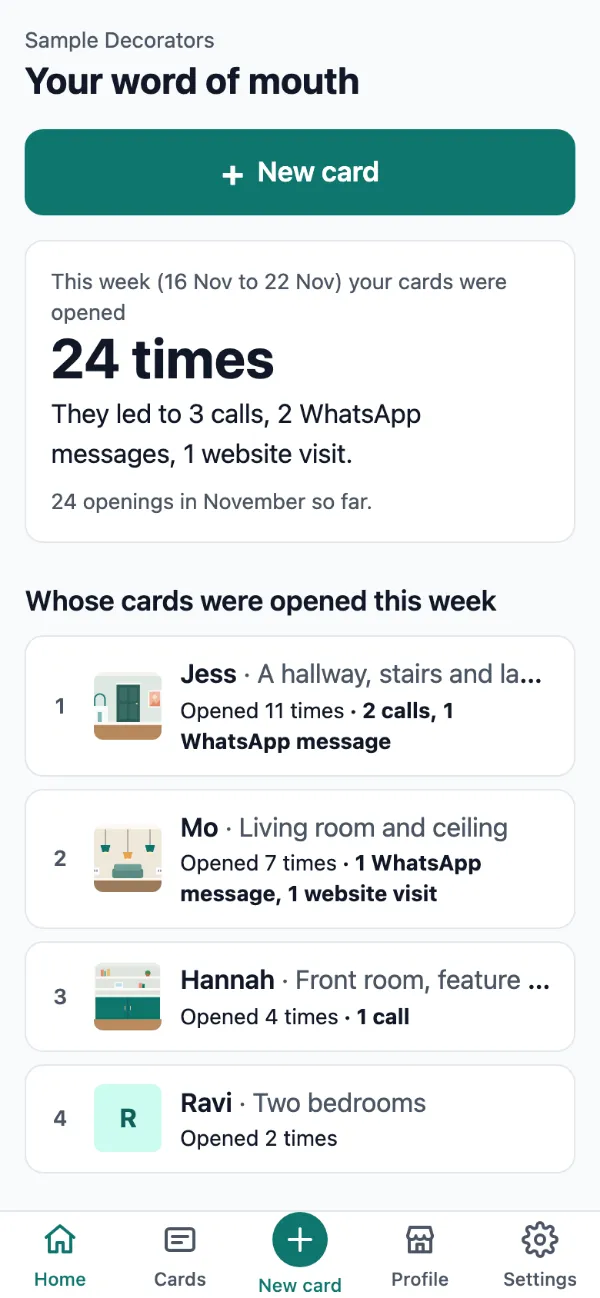
Real WeUsed screens. The business, its customers and the figures are made up.
The steps
- 1
Set up once
Your business name, what you do, your town, your phone and your website. You enter them once, and they appear on every card. WhatsApp uses your phone number unless you give another, and a booking link, your logo and social links can be added in your profile whenever you like.
- Takes a few minutes, on your phone.
- Change a detail later and every card shows the new one.
- A card with no photo shows these details as its picture.
Sample Decorators
Shared by Sample Decorators with Ravi's permission
Two bedrooms
Painter and decoratorAnytownWe count how often this page is opened, not who opens it.
Made with WeUsed - 2
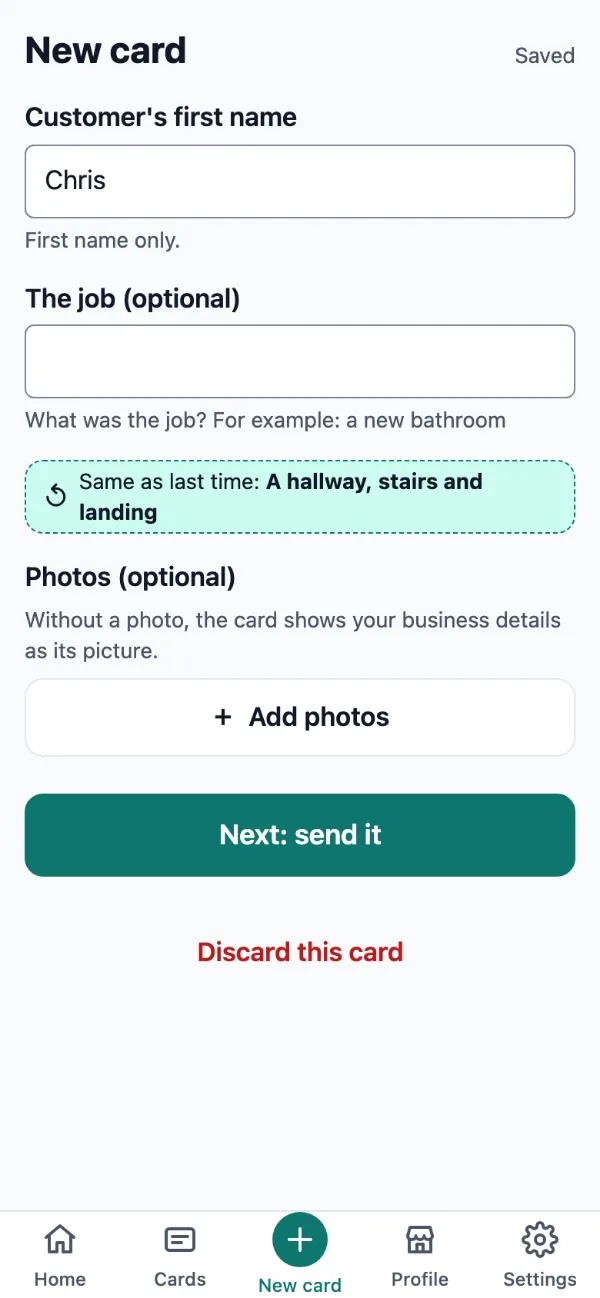
Finish a job, make a card
Type your customer's first name. That's the only thing you have to fill in. Add a line about the job and up to 3 photos if you like.
- Your last job line is offered again, so a repeat card takes a tap.
- Before your first photo each time you open the app, a short checklist helps you keep faces, house numbers and other people out of shot. After that, it's one tap away.
- 3
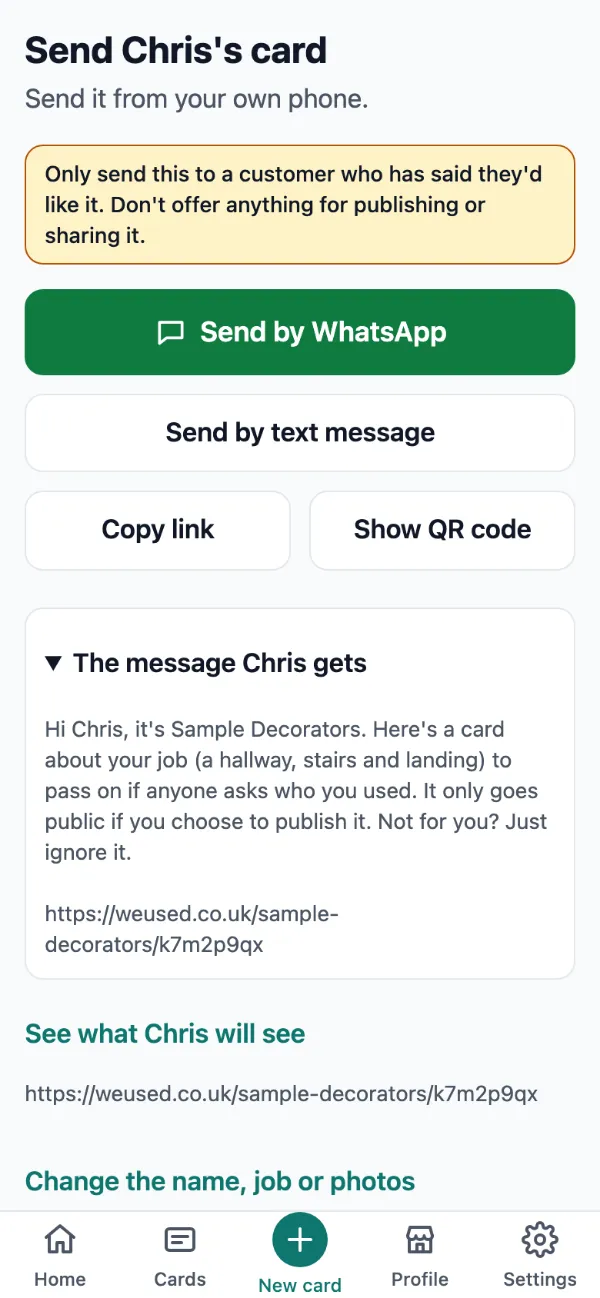
Send it from your own phone
WeUsed opens WhatsApp or Messages with the message already written. You choose the chat and press send. WeUsed sends nothing itself.
- Or copy the link, or show a QR code for your customer to scan.
- The message tells your customer it only goes public if they choose.
Only send this to a customer who has said they'd like it. Don't offer anything for publishing or sharing it.
- 4
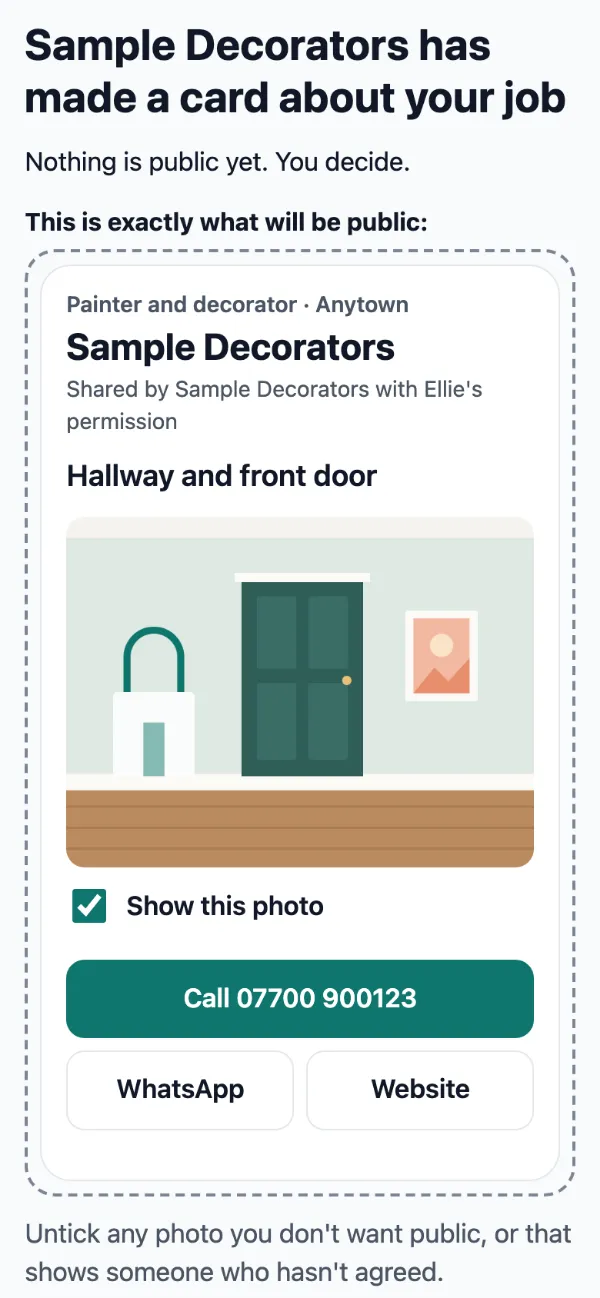
Your customer decides
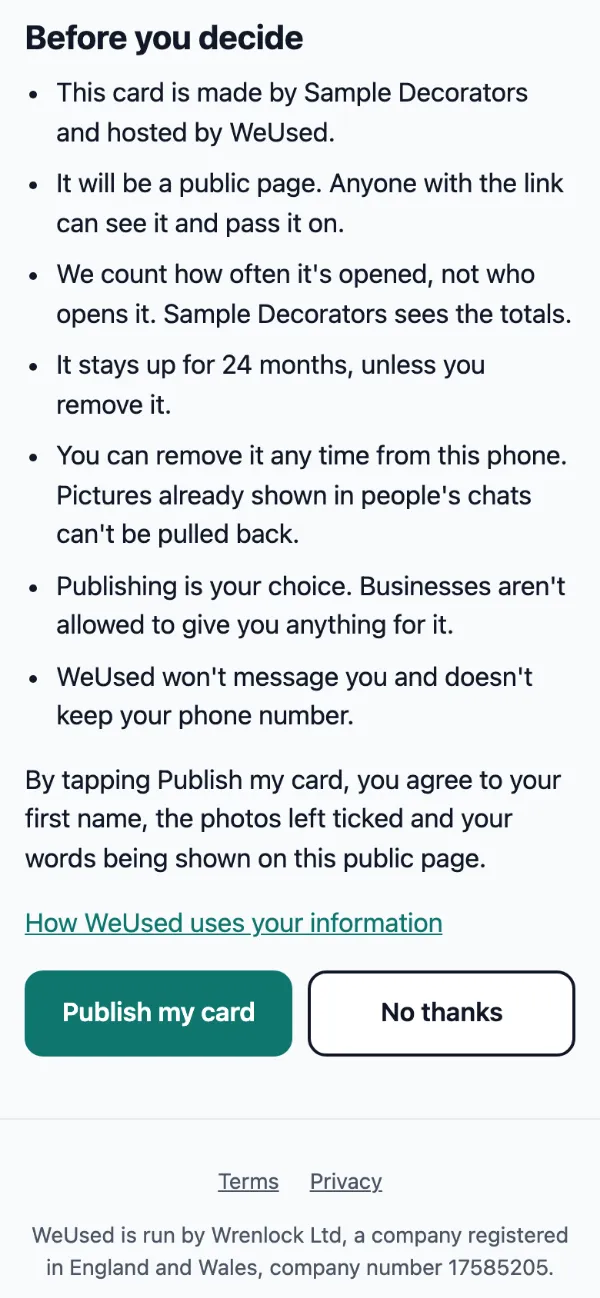
They open the link on their phone and see exactly what would be public. They can untick any photo and add their own words if they want to. Then they publish it, or say no thanks.
- No account and no app.
- They read seven plain facts before deciding, always on screen.
- They can remove the card from their phone at any time.
- 5
They pass it on when a friend asks
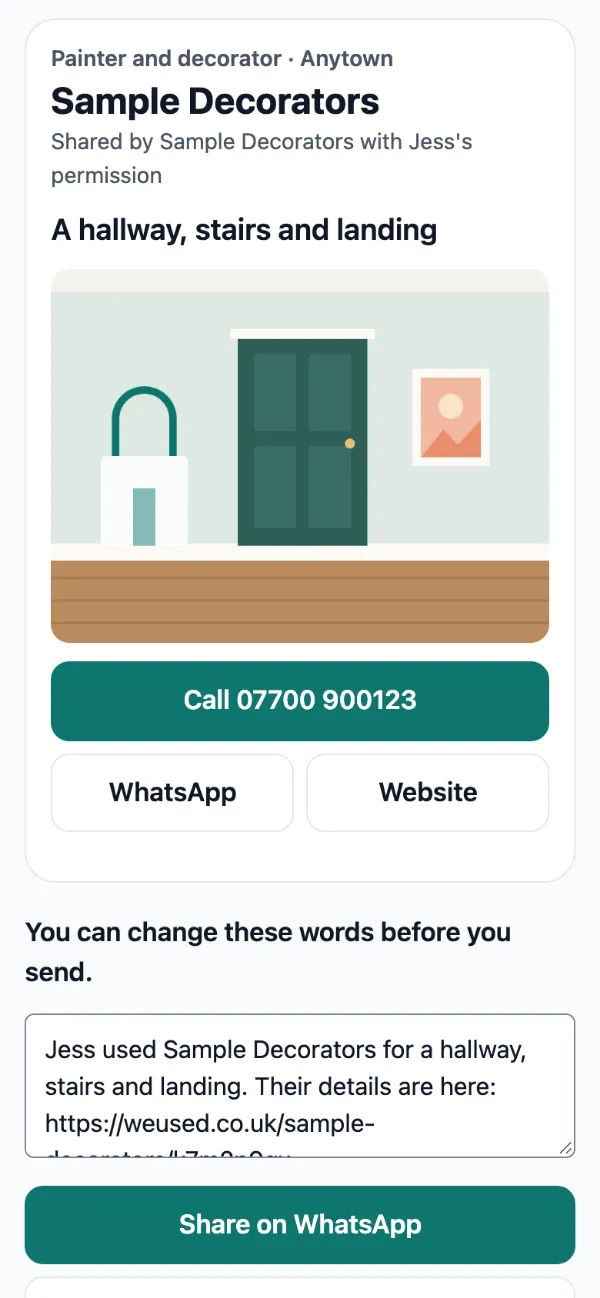
Weeks or months later, someone asks who they used. Your customer sends the link. The friend sees your name, the job, your photos and buttons to call, WhatsApp or visit your website.
- Sharing is one tap, with the words written for them.
- The link keeps working for as long as the card is up, even if you rename your business.
- 6
You see it working
Your home screen opens on your word of mouth: whose cards were opened this week, and which led to a call, a message or a website visit, the most interest first.
- A short summary by email each week.
- Free shows your monthly total. Pro shows every card and customer.
The detail
Questions people ask
What counts as an opening?
A time the card was actually shown on a screen. The automatic previews WhatsApp and Messages make when a link is pasted are not counted, and neither are your own phone, your customer's phone, or anyone who chose not to be counted.
It counts openings, not people. Nobody can see who opened a card.
How long does a card stay up?
24 months, unless your customer removes it. When it ends you have 30 days to send it again, and your customer can publish it for another 24 months. The link keeps working while it's up, even if you rename your business.
What if my customer says no thanks?
Nothing is published, and the photos and details are deleted. You'll see that they said no. You don't need to do anything.
Will WeUsed message my customers?
Never. You send the card yourself, from your own phone, by WhatsApp or text. WeUsed doesn't keep your customer's phone number and never contacts them.
Can I choose what my customer says about me?
No, and nobody can. You choose your photos, the line about the job and how people reach you. Your customer can add their own words or none, and the card shows them as theirs.
Do my cards go offline if I stop paying?
No. Every published card stays up whether you pay, stop paying or move to Free. Payment only changes what you can see.
Try it on your next job
Set up in a few minutes. Your first card takes seconds.
Free to start, with your first 10 cards. Every new account sees everything for its first 30 days, with no card details.